
Screen printing guide
How we screen print ceramic transfers
A plain-English guide to how we screen print ceramic transfers, also known as ceramic decals: how films and screens are made, what affects detail and colour, and why most of the cost is in the setup.
Quick answers
Most of the cost is in the setup. Printing 100 sheets costs nowhere near ten times as much as printing 10.
Every colour needs its own film, screen and print run, plus one more for the covercoat.
Colours are mixed by hand and by eye, to an industry tolerance of around 8 to 10%.
Cadmium, gold-based and metallic colours need extra care and cost more.
A low-cost digital trial is the best way to preview your design before a screen run.
Part 1 of 3
How your transfers are made
From your artwork to a finished sheet of waterslide transfers, ready to apply and fire.
The basics
How screen printing works
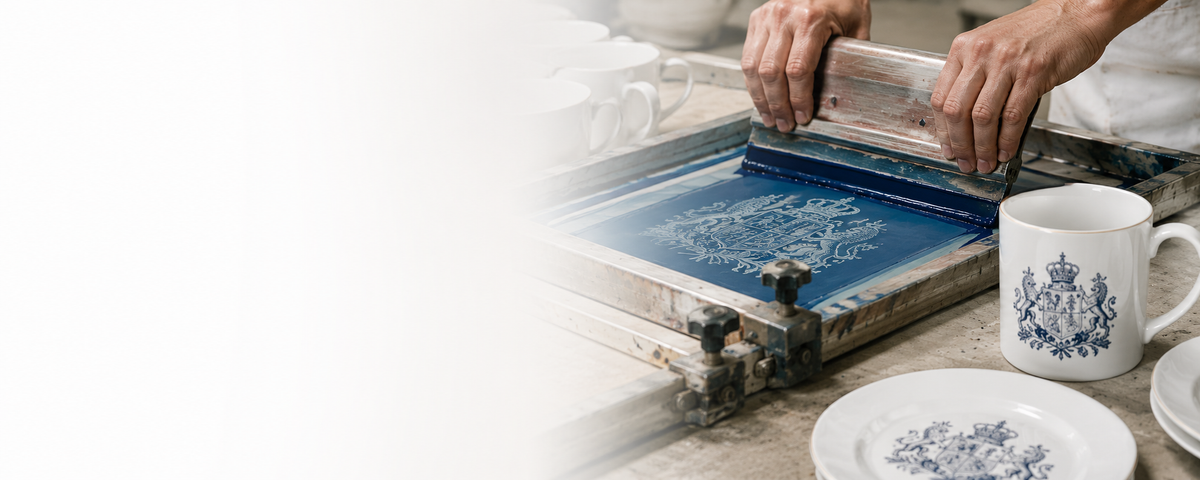
Screen printing builds your design one colour at a time. Each colour gets its own film and its own screen, and is printed in turn onto waterslide transfer paper using ceramic ink. A clear covercoat goes over the top. The finished transfer is applied to glazed ware and fired, fusing the colours into the glaze.
01
Separate
Your artwork is split into one layer per colour.
02
Films
Each layer is output as a film on our imagesetter.
03
Screens
Each film is exposed onto its own mesh screen.
04
Mix
Every colour is mixed by hand and matched by eye.
05Print
One colour at a time, each lined up with the last.
06
Covercoat
A clear layer is printed over the whole design.
From artwork to film
Films
Once your artwork is separated into colours, each layer is output onto clear film on our imagesetter. The film is a positive: the design is solid black and everything else is clear.
Every colour needs its own film, and so does the covercoat. A four-colour design needs five films before anything is printed.
Screens
Screen making
A fine mesh is stretched tight on a frame and coated with a light-sensitive emulsion. The film is laid on the screen and exposed to UV light. Where the light gets through, the emulsion hardens. Where the film is black, it stays soft and washes out with water, leaving an open stencil of that colour.
When we print, ink is pushed through the open mesh with a squeegee, so only the design prints. Each colour has its own screen, which is why the number of colours drives the setup.
Detail vs colour
Mesh sizes and detail
Screens come in different mesh counts: the number of threads per centimetre. A finer mesh has smaller openings, so it holds finer detail but lays down a thinner layer of ink. A coarser mesh puts down a heavier deposit of colour for richer, more solid results, but can't hold fine detail.
| Mesh | What we use it for | Detail | Colour deposit |
|---|---|---|---|
| 140 | The finest details: fine lines, small text and fine halftones | Finest | Lightest |
| 120 | Our standard mesh, used for CMYK compilation layouts | Fine | Standard |
| 100 and 90 | Bolder designs that need a heavier layer of colour | Medium | Heavier |
| 77 | Strong, solid colour where fine detail matters less | Coarse | Heaviest |
Always a trade-off
No single mesh gives both the finest detail and the heaviest colour. We'll choose the right mesh for your design and tell you up front if any fine detail is likely to be lost.
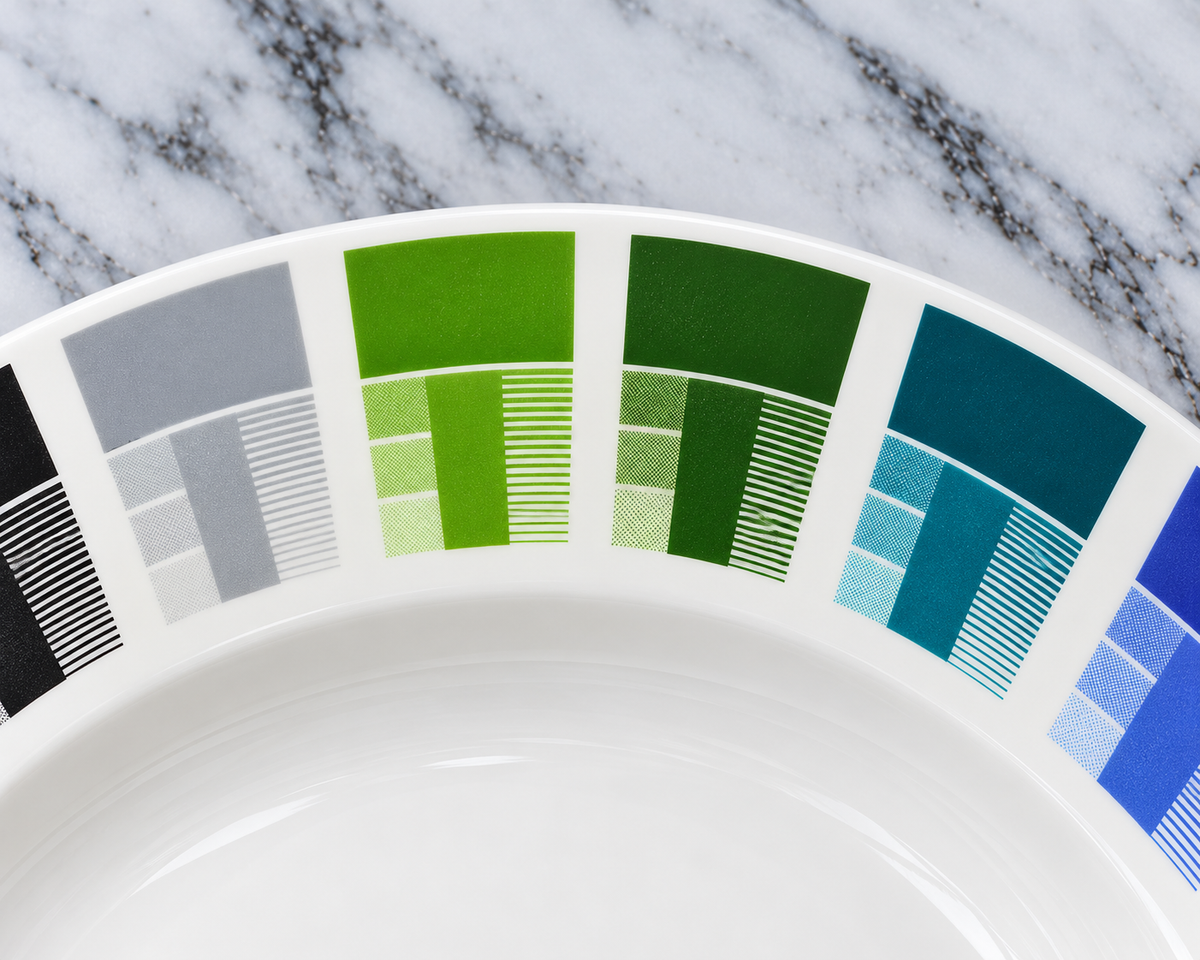
Detail you can see. On each fired sample, the strip of fine lines shows how thin a line a colour will hold, next to the solid colour and three halftone tints.
Shading and gradients
Halftones
Shades, gradients and photographic images are printed as halftones: patterns of tiny dots that your eye blends into a tone. Bigger dots read as darker and smaller dots as lighter.
How fine those dots can be depends on the mesh. As a rule of thumb, the halftone needs to be about four times coarser than the mesh so each dot sits across several threads. On our 140 mesh that's around 35 lines per cm (roughly 90 lpi). On our standard 120 mesh it's around 30 lines per cm (roughly 75 lpi).
What to expect with halftones
Very light tones (below roughly 10%) can drop out, as the dots are too small to hold.
Very dark tones (above roughly 90%) can fill in and print as solid colour.
Soft fades and gradients are the hardest to reproduce and can look stepped or grainy.
Overlapping dot patterns can cause a faint checkerboard effect (moiré). We angle our screens to reduce this, but it can't always be avoided.

Halftones: one ink printed as solid, larger dots and smaller dots gives three different tones.

CMYK: on our compilation layouts, four inks are printed from four angled screens and blend into full colour.
The final layer
Covercoat: why every sheet needs it
Once all the colours are printed, a clear layer called covercoat is printed over the whole design. It holds every colour together as one film, so the transfer slides off its backing paper in one piece when soaked, without breaking up or stretching.
In the kiln, the covercoat burns away completely, leaving only the fired colours behind.
Covercoat is set up just like a colour: it needs its own film, its own screen and its own print run. So a three-colour design actually needs four screens.

Part 2 of 3
Colour
How we mix and match your colours, and the special colours that need extra care.
Done by hand
Colour mixing: by hand and by eye
Every colour we print is mixed by hand. We weigh out the pigments and adjust them by eye until the colour matches your reference, whether that's a Pantone number or a sample you send us.
We keep a recipe for every colour we mix, so repeat orders start from the same formula. Because mixing is still measured by eye and weight, and colours shift in the kiln, there will always be some variation. We work to the industry tolerance of around 8 to 10%.
Some colours can't be matched
Occasionally a colour simply isn't achievable with ceramic pigments, such as some very bright or neon shades you see on screen. If that's the case, we'll tell you before printing and suggest the closest we can achieve.
Firing
Colours change in the kiln
An unfired transfer doesn't show the final colour. Colours develop in the kiln and can shift as they fuse into the glaze, so we always judge colour on fired samples rather than on the printed sheet.
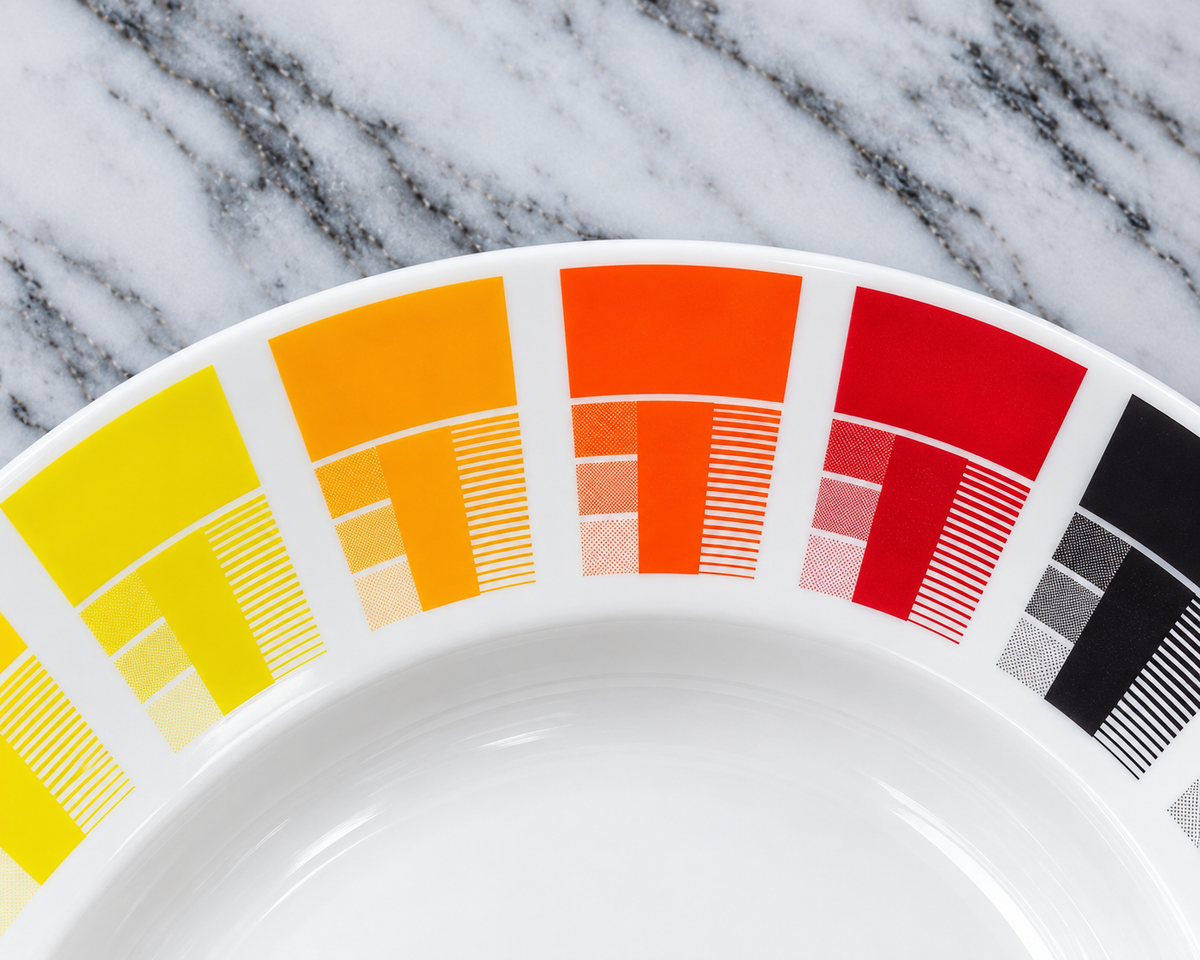
Fired colour samples. Each colour shown as a solid, as halftone tints and as fine lines, so you can see how it behaves once fired.
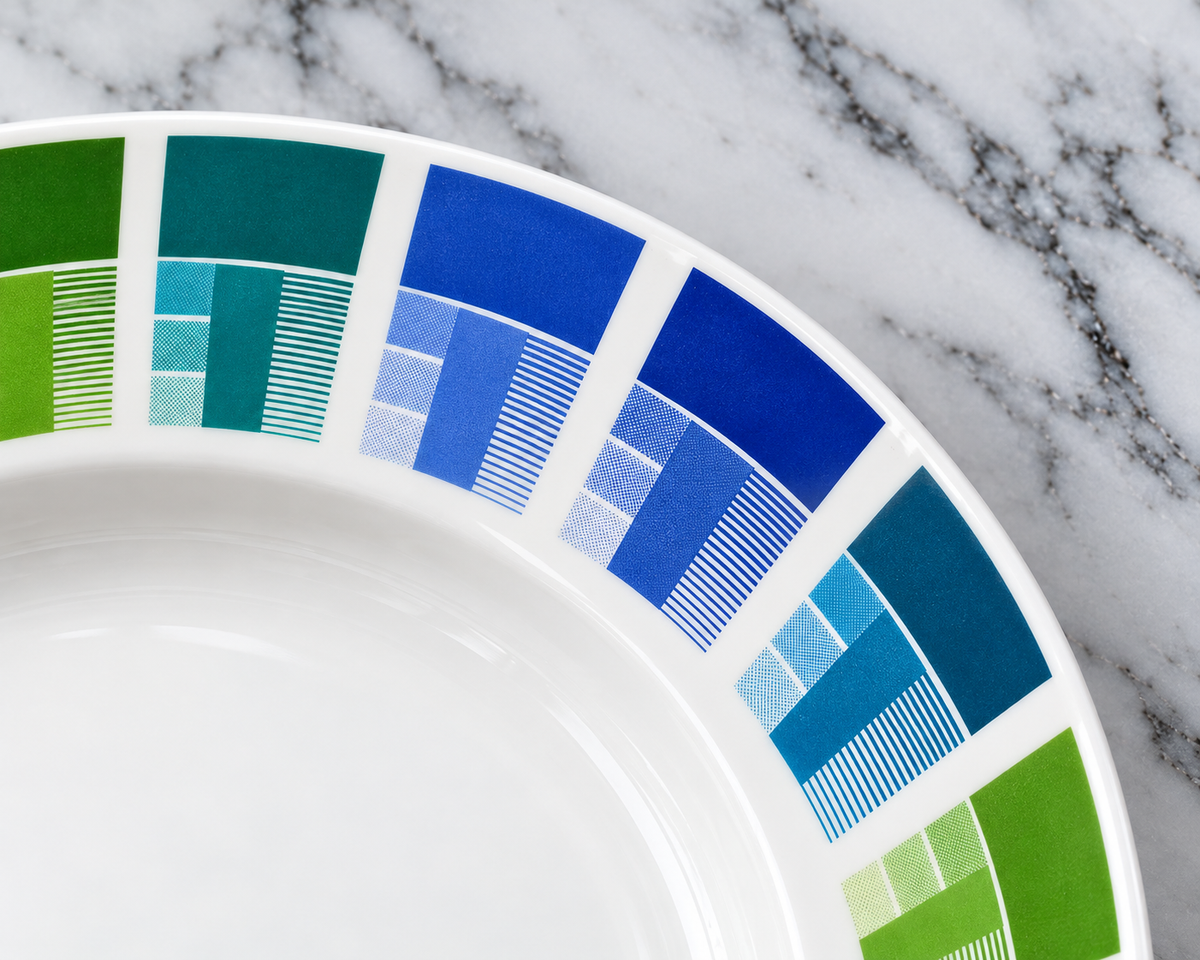
Every colour is mixed by hand, so the same layout lets us check strength, tints and detail before it goes on your ware.
Rich but temperamental
Special colours: cadmium and gold-based
Some of the richest colours in ceramics come from special pigments. They give results you can't get any other way, but they're harder to work with and need more care in the kiln.
Cadmium colours
Rich, bright yellows, oranges and reds.
Gold-based colours
Deep pinks, rubies and purples, made with gold in the pigment.
What to expect with special colours
Positives
- Rich, vivid colours that standard pigments can't match.
- Gold-based colours give beautiful deep pinks and purples.
Things to consider
- Both are temperamental and need to be fired at a lower temperature.
- The lower firing can make them less hard-wearing in the dishwasher.
- Colour can vary from one batch or firing to the next.
- Gold-based colours are even more temperamental and can be very expensive.
Why we sometimes add a flux layer
To help cadmium and gold-based colours fire well and stay consistent, we may print a layer of flux over them. It helps protect the colour from the heat of the kiln and keeps results more even from batch to batch.
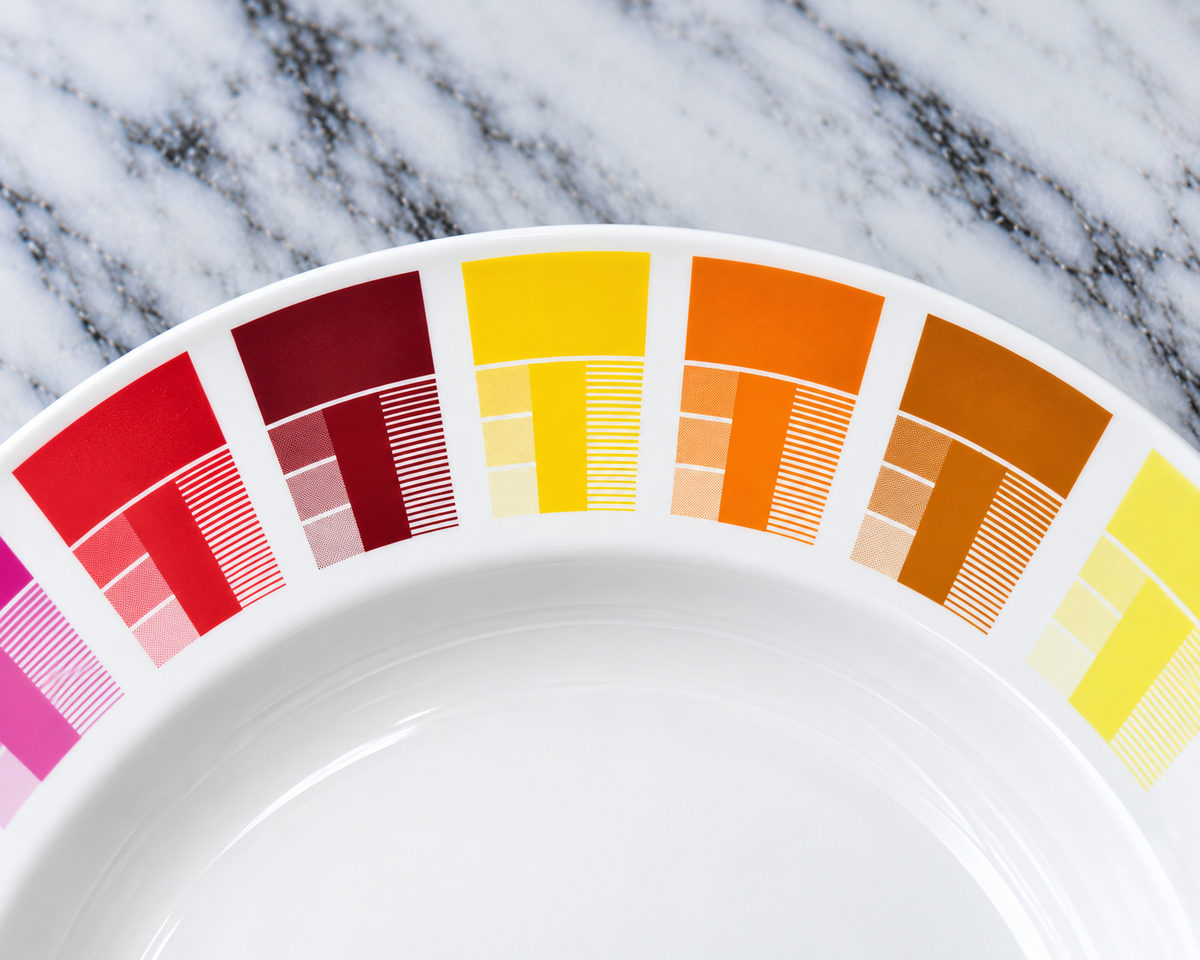
Warm reds and oranges. The brightest, richest versions of these shades rely on cadmium colours.
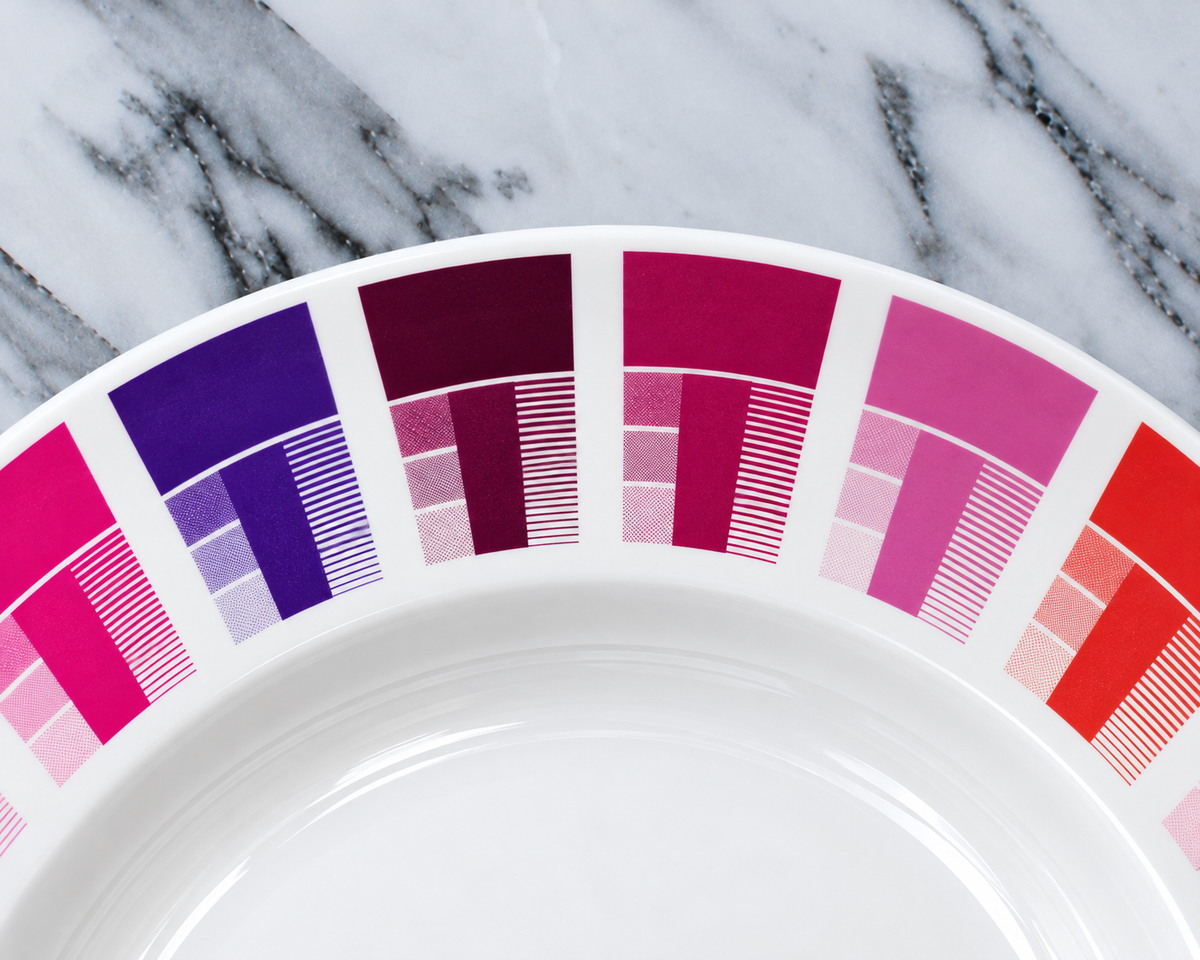
Pinks, purples and rubies. Deep shades like these come from gold-based colours.
Precious metals
Metallics: gold and lustres
Metallic golds and lustres can also be screen printed, for a true shine that ordinary colours can't give. They contain real precious metal, so they're very expensive, with prices moving in line with the price of gold.
Metallics aren't microwave safe, and we recommend hand washing to keep them bright.
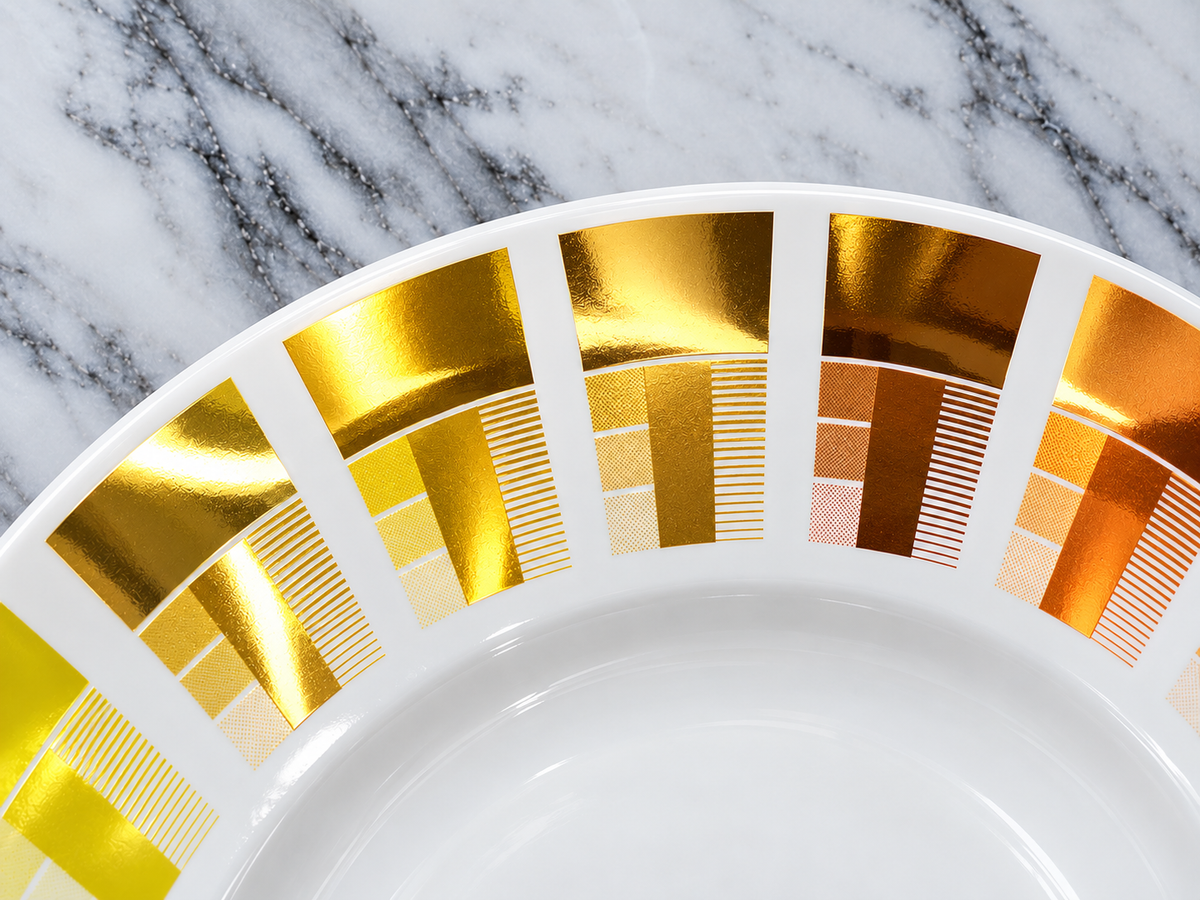
Metallic golds and copper lustres, fired on bone china.
Part 3 of 3
Artwork, cost and samples
How to get the best result from your artwork, where the cost goes and how long it takes.
Before you send it
Artwork tips for screen printing
Send vector artwork (AI, EPS or PDF) where you can. Otherwise, a high-resolution image of at least 300dpi.
Give us Pantone references for any colours that need to match.
There's no limit on the number of colours, but each one is a separate screen, so fewer colours means a lower setup cost.
Very fine lines and small text need our finest mesh. We'll check your artwork and tell you if anything is too fine to hold.
Gradients, soft fades and photos are printed as halftones. Bold, flat colour gives the crispest result.
Tell us the piece it's going on and the size you'd like it printed.
Understanding the price
Where the cost goes: setup
Most of the work, time and cost in screen printing happens before the first sheet is printed. Once the artwork is separated, the films output, the screens made, the colours mixed and everything lined up on the press, printing more sheets mainly adds paper, ink and a little more time.
So running 100 sheets costs nowhere near ten times as much as running 10. That's why the price per transfer drops so much as quantities go up.
What adds to the setup
Each extra colour: another film, screen, mix and print run.
The covercoat, which is set up like an extra colour.
Exact colour matching to a Pantone reference or your sample.
Cadmium and gold-based colours, which need extra care and may need a flux layer.
How long it takes
Minimums and lead times
Decorating and firing come on top of the printing time. We'll confirm your lead time with your quote.
| Layout | Minimum order | Printing lead time |
|---|---|---|
| Compilation (CMYK) | 100 transfers per design | Typically 3–5 weeks |
| Spot colour | 100 A2 sheets | Typically 5–6 weeks |
Trial runs
Why screen-printed samples aren't cheap
A screen-printed sample needs exactly the same setup as a full run: the same films, screens and colour mixing. Printing one sheet costs almost as much as printing a full run, so a true screen-printed sample is rarely good value.
What we suggest instead: a digital trial
A digitally printed trial is a quick, low-cost way to see how your design could look on the ware and to check its size and position. Please ignore the colours, though: digital printing is CMYK only and won't match the richness or accuracy of screen printing. It shows how your design could look, not the final colours.
Good to know
Screen printing FAQs
Are ceramic transfers the same as decals?
Yes. Ceramic transfers are also called ceramic decals or waterslide decals. The design is printed onto special paper, soaked in water, slid onto glazed ware and then fired, so it fuses permanently into the glaze.
Why does each extra colour cost more?
Every colour needs its own film, its own screen, its own hand-mixed ink and its own print run. More colours means more setup.
Is there a limit to how many colours I can have?
No, we can print as many colours as your design needs. Each colour is a separate film, screen and print run, so every extra colour adds to the setup cost.
Will my repeat order match the first one?
We keep the recipe for every colour, so repeats start from the same mix. Colours are still mixed by hand and fired in a kiln, so expect small variations within around 8 to 10%. Cadmium and gold-based colours can vary more between batches.
Can you match my Pantone colour exactly?
We'll get as close as ceramic pigments allow, mixing by hand and by eye to an industry tolerance of around 8 to 10%. Spot colour printing gives the closest match. A few colours simply can't be achieved, and we'll tell you before printing.
Are screen-printed transfers dishwasher and microwave safe?
Once fired, standard colours are set into the glaze and are hard-wearing. Cadmium and gold-based colours are fired at a lower temperature, so they can be less resistant to repeated dishwashing. Gold and other metallics aren't microwave safe, and we recommend hand washing them.
What's the difference between compilation and spot colour?
Compilation printing shares a four-colour (CMYK) layout between several customers' designs to split the setup cost. Spot colour gives your design its own layout, with each colour mixed to match. See compare printing methods for minimums and lead times.
Can I see my design before committing to a screen run?
Yes. We'll send you a free mockup with your quote, and we can do a low-cost digital trial so you can see your design on the ware. Just ignore the colours on the trial, as digital printing is CMYK only.
Ready to print?
Get a free mockup & quote →
Send us your artwork
Tell us about your design and we'll come back with a free mockup, a price and a lead time, plus advice on the best printing method.